Simple AroksDS BaseLinker Debugger plugin
11,76 €
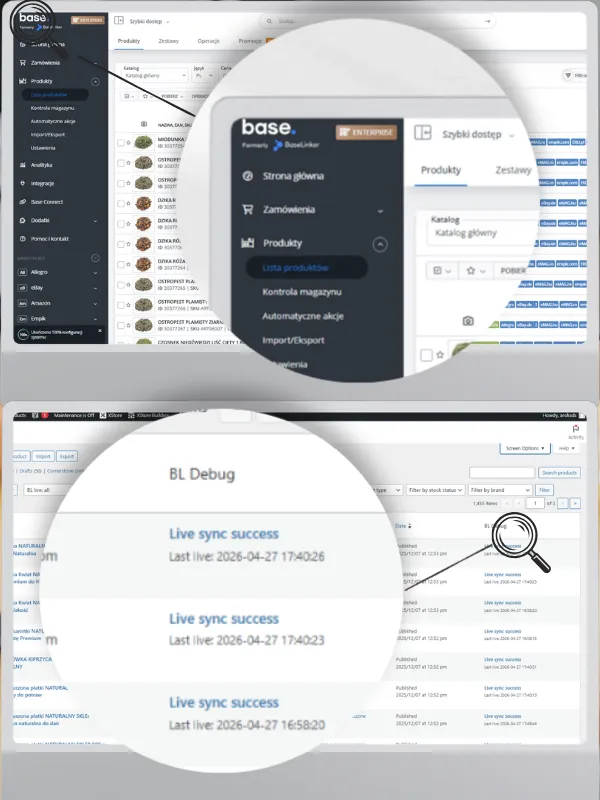
AroksDS BaseLinker Debugger is a simple WordPress/WooCommerce plugin for checking whether synchronization with BaseLinker really reaches the store. It shows recent price and stock updates, REST API requests, server errors and products without a live synchronization trace. Useful when BaseLinker shows a completed operation, but you need to quickly check in WooCommerce what was actually changed.
In practice, the information in Base.com, formerly BaseLinker, that synchronization has been completed is not always enough. In a larger store, server errors, empty responses, timeouts, an incorrect source warehouse or products that are only seemingly connected may occur.
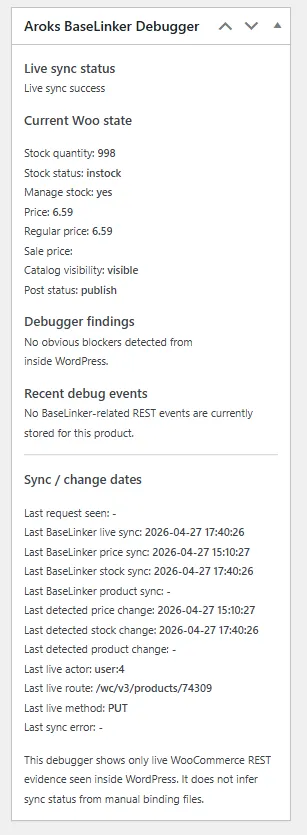
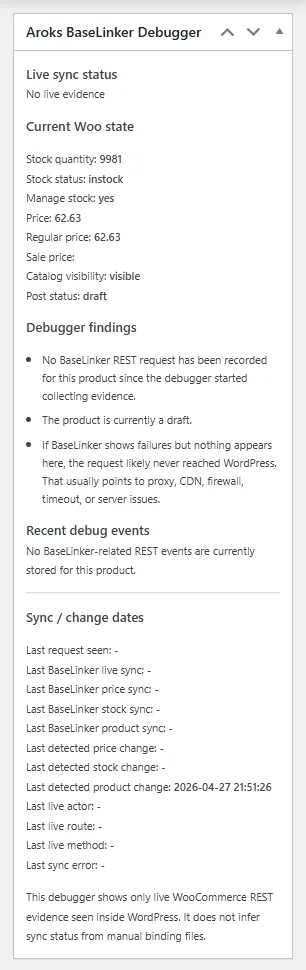
AroksDS BaseLinker Debugger helps you check this without guessing. The plugin shows in the WooCommerce panel whether WordPress actually received a request from BaseLinker, whether WooCommerce applied the update and when the product price or stock level last changed.
Main benefits
- Live synchronization control: you can see which products actually received an update from BaseLinker.
- Faster problem diagnosis: it is easier to determine whether the issue is related to data, warehouse settings, the server or the connection itself.
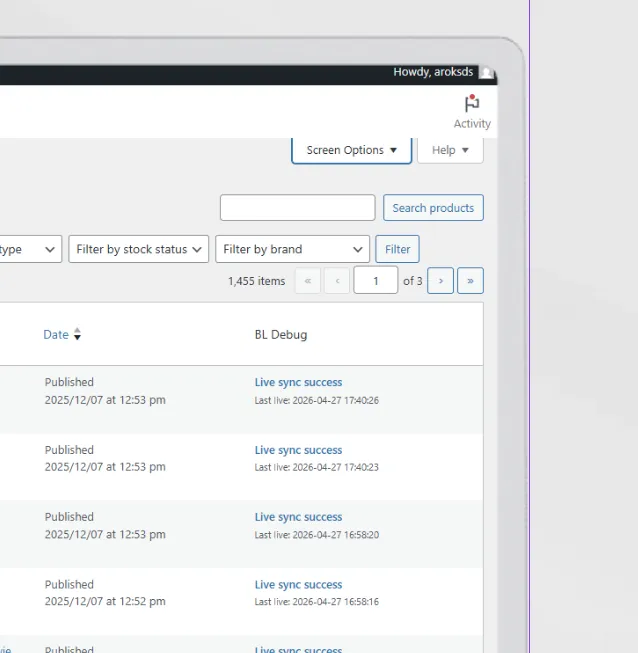
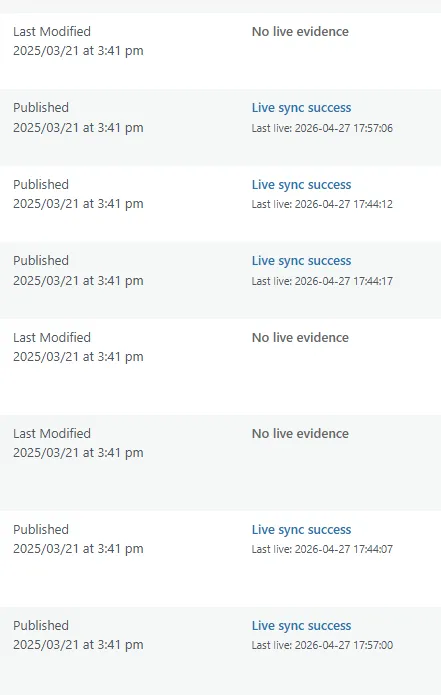
- Column in the product list: quickly filter products by synchronization status.
- Information in the product edit screen: last synchronization, last price change, last stock change, current WooCommerce status.
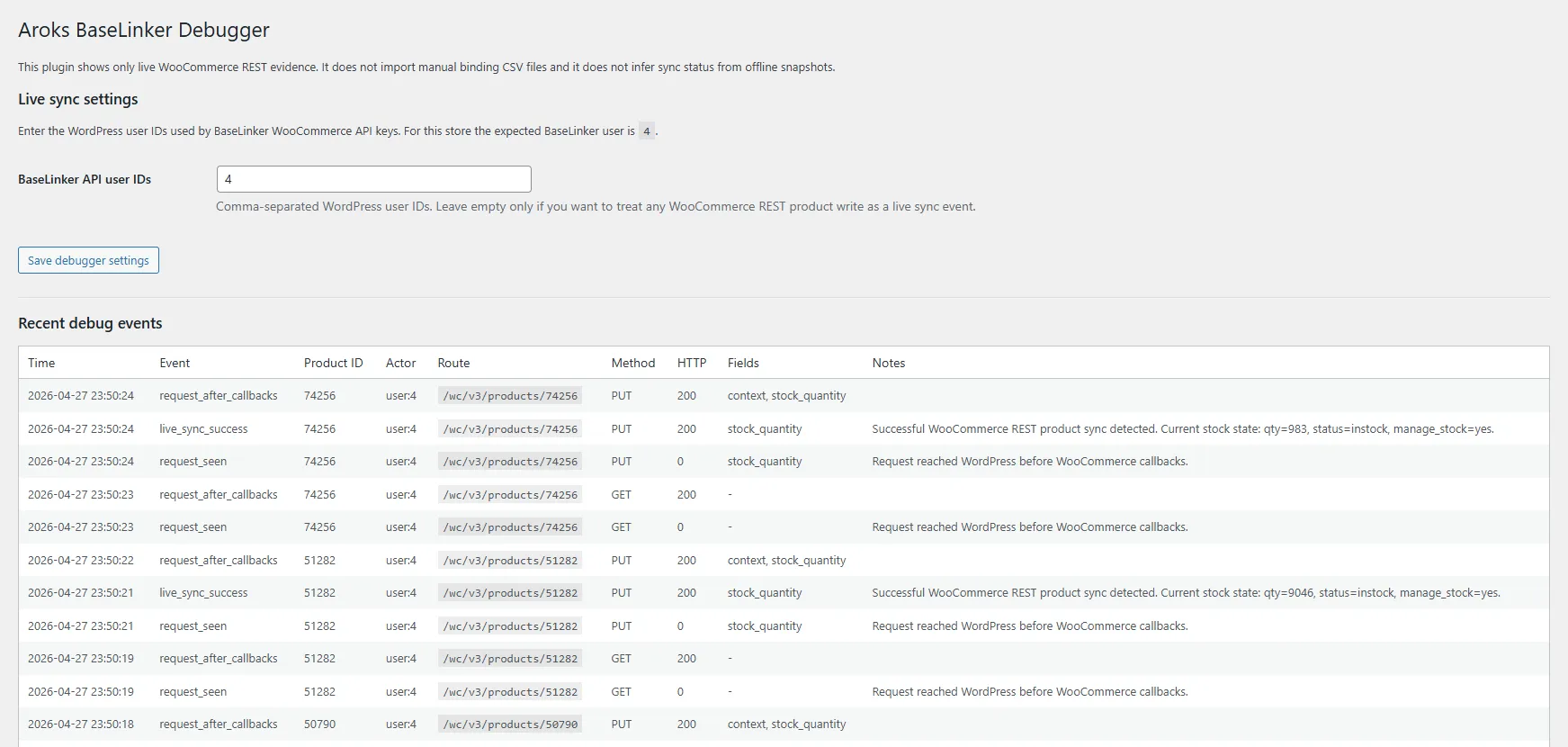
- Event log: preview of recent REST API requests related to product updates.
- Support for large catalogs: especially useful when a store has hundreds or thousands of products.
- No manual file imports: the plugin does not pretend to synchronize data, it shows real events seen by WordPress.
What the plugin shows
- current product stock level
- product availability status
- current price and regular price
- date of the last synchronization with BaseLinker
- date of the last price change
- date of the last stock change
- API user who made the request
- REST API route that was used
- HTTP response status
- latest errors, if any occurred
Product statuses
The plugin adds a simple filter to the product list:
- synchronized
- requiring attention
- without a live synchronization trace
This makes it easy to find products that did not receive an update or require manual verification.
What this plugin does not do
- It does not replace the official BaseLinker integration.
- It does not create product connections in BaseLinker.
- It does not synchronize prices or stock levels by itself.
- It does not import CSV files with product mappings.
- It does not change product data automatically.
Its purpose is diagnostics: it shows what actually reached WordPress and WooCommerce.
Configuration in brief
- Install and activate the plugin in WordPress.
- Go to the AroksDS BaseLinker Debugger settings.
- Enter the API user ID used by BaseLinker.
- Enable the BaseLinker column in the WooCommerce product list.
- Run synchronization in BaseLinker.
- Check products, recent events and synchronization status in WooCommerce.
Who this plugin is for
The plugin is useful for WooCommerce stores that:
- use BaseLinker to synchronize prices and stock levels
- have a large product catalog
- use several catalogs or warehouses in BaseLinker
- want to check why some products are not updating correctly
- need a simple diagnostic tool without digging through server logs
Support and optional services
If you want, we can help with implementation:
- plugin installation and configuration
- checking the BaseLinker API user
- analysis of products without synchronization
- checking 502/503 errors and timeouts
- audit of product connections by EAN/SKU
- preparation of recommendations for warehouse and synchronization settings in BaseLinker.